
Accounting
Reuse supplier details and see who approved each invoice without chasing an email thread.
Don’t let an invoice wait for approval in someone’s inbox.
Accounting enters the invoice. The assignee can decide from their phone. Management chooses what to pay and when. The people responsible can see what still needs approval, what is scheduled, and what has been paid.
Try it with sample data. No account needed, and nothing is submitted.
Reuse supplier details and see who approved each invoice without chasing an email thread.
Open the invoice and attachments on your phone. Approve it or send it back with a note.
Approval and payment are separate decisions. Choose which approved invoices go on the next payment list, and when.
Bring accounting, departments, management and payment work into one shared process.
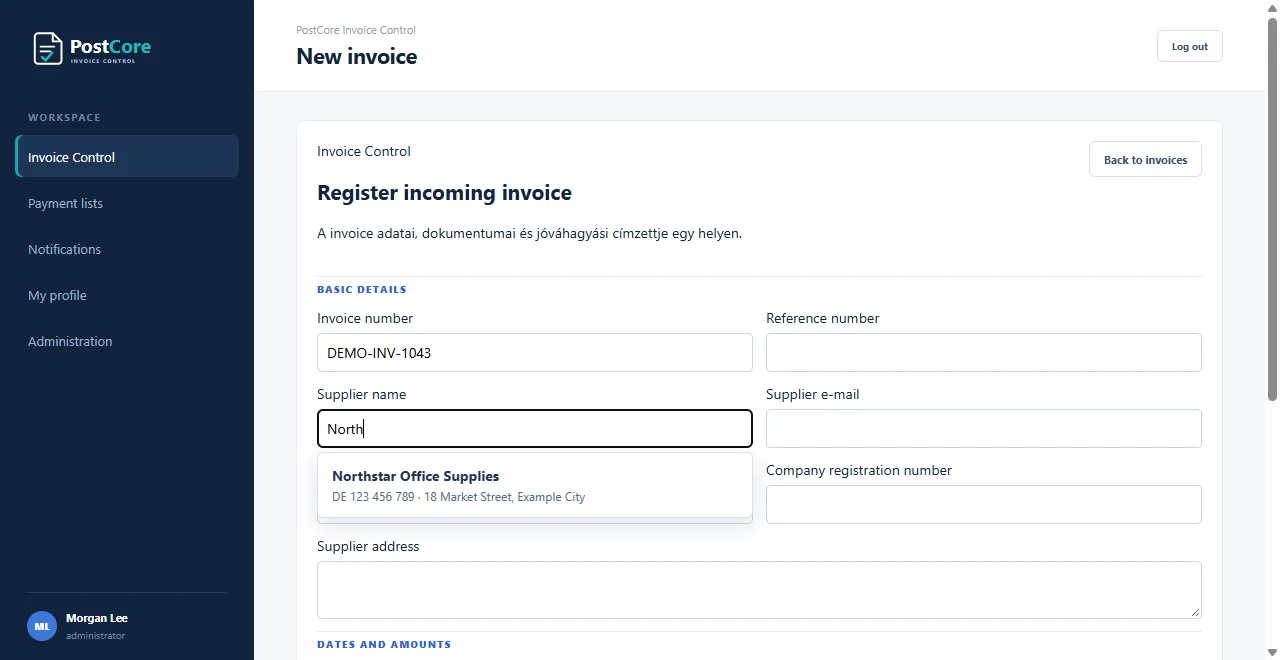
Find a previously used supplier by name or tax number and fill in their details. Attach PDFs or images and assign the invoice to a person or department.
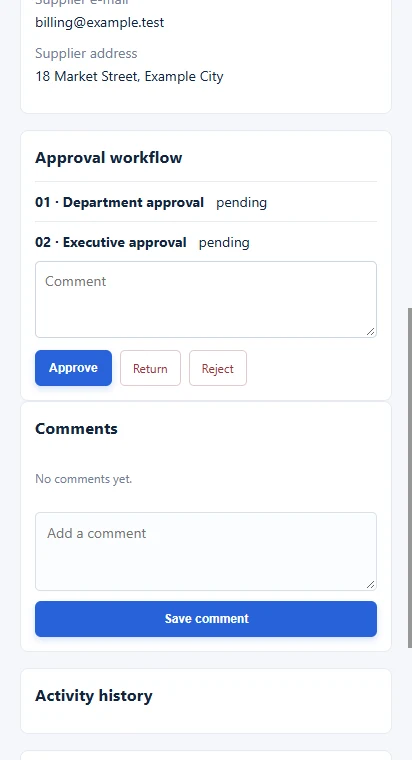
The assigned department reviews first, followed by the executive. An assigned person or authorised department member can approve, return with a comment or reject.
Management chooses which approved invoices to pay and when. The system creates a payment list, totals amounts by currency and notifies accounting.
Accounting filters daily work by due, unpaid or overdue invoices, records the payment date and closes each item.
Keep the original invoice and supporting documents together. Preview PDF, JPG, PNG and HEIC files in the app.
Access follows the assignment, role and approval stage. Administrators can reassign an invoice with an audit trail.
Approvals, edits, returns and payments are recorded chronologically alongside invoice comments.
Plan a payment date and total selected invoices by EUR, CZK, HUF or USD. EUR is the default currency.
Relevant users are notified about new invoices, approval tasks and newly created payment lists.
Find invoices issued this month or last month and combine the period with other filters.
Administrators manage users, departments and permissions. The interface supports English, Hungarian, German and Slovak, including on mobile.
Review the invoice and approve, return or reject it without opening a computer.
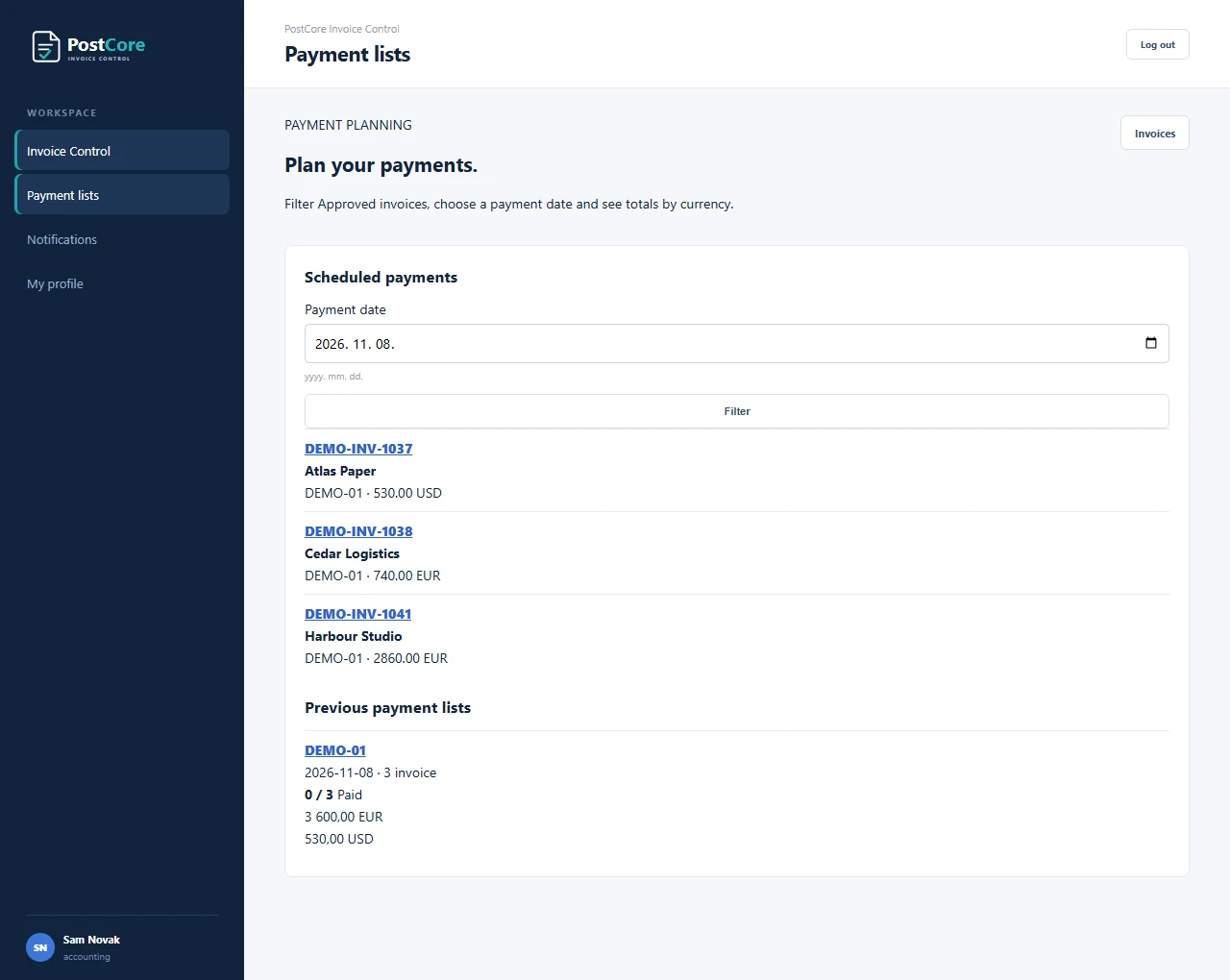
Accounting can pull up the scheduled invoices for a chosen day and see each list’s totals by currency.
Real product screens with sample data. Silent videos with captions in four languages.
A missing purchase order number sends the invoice back. Accounting corrects it and approval resumes.
Management schedules approved invoices by date. Accounting opens the list, makes the transfers separately and records the payments.
Import unpaid incoming invoice data from the exports listed below. PostCore Invoice Control previews the entries and saves the ones you confirm as drafts, ready for your approval process.
Use accounting software that isn’t listed below? On request, we can develop an import for it if a suitable export format or interface is available. We can also assess options for automated data transfer.
Discuss your accounting softwareThese options import files into PostCore. They do not write back to your accounting software or synchronise automatically. Export availability may vary by version.
Third-party product names identify the source of supported exports only. They do not imply any affiliation, endorsement or certification.
PostCore Invoice Control can be implemented on your own server or run in a cloud environment, depending on your infrastructure and operational requirements.
We identify who records invoices, who approves them and who schedules and records payments.
We agree on user roles, departments and where the application will run: your own server or the cloud.
Your team tries capture, approvals and the payment list. You can start with manual entry and assess accounting integration separately.
The accounting team has a spreadsheet, several attachments and separate approval emails. Two invoices are due, but it is unclear who signed off on the latest versions.
In Invoice Control, accounting opens the list for the selected date. It shows which approved items are scheduled, their totals by currency, and which payments have already been recorded.
Still have a question about your workflow or accounting software? We are happy to talk it through.
No. You can enter an invoice manually or import several at once from a supported export file.
You receive a notification in Invoice Control and, when email delivery is configured, an email that a new invoice is waiting for your review.
The assigned person or an authorised member of the assigned department reviews it first. It then goes to the executive for the next decision.
Yes. The interface is designed for mobile use, so you can review invoices, comment and approve from your phone without needing a computer for everyday tasks.
File import is available for selected Slovak and Hungarian accounting software. Check which export your version can produce. See supported export formats
No. It schedules payments and prepares the payment list. Accounting makes the transfer separately and records the completed payment in Invoice Control.
No. Invoice Control handles internal approvals and payment planning. Data can be transferred from compatible accounting software after assessing the available integration options.
In the demo, we’ll map who captures, approves and schedules your invoices and discuss whether it makes sense to connect your accounting software.